
GradeOS workflow
One batch. Six visible stages.
The grading run moves from original answer sheets to teacher-confirmed classroom signals without losing the evidence in between.
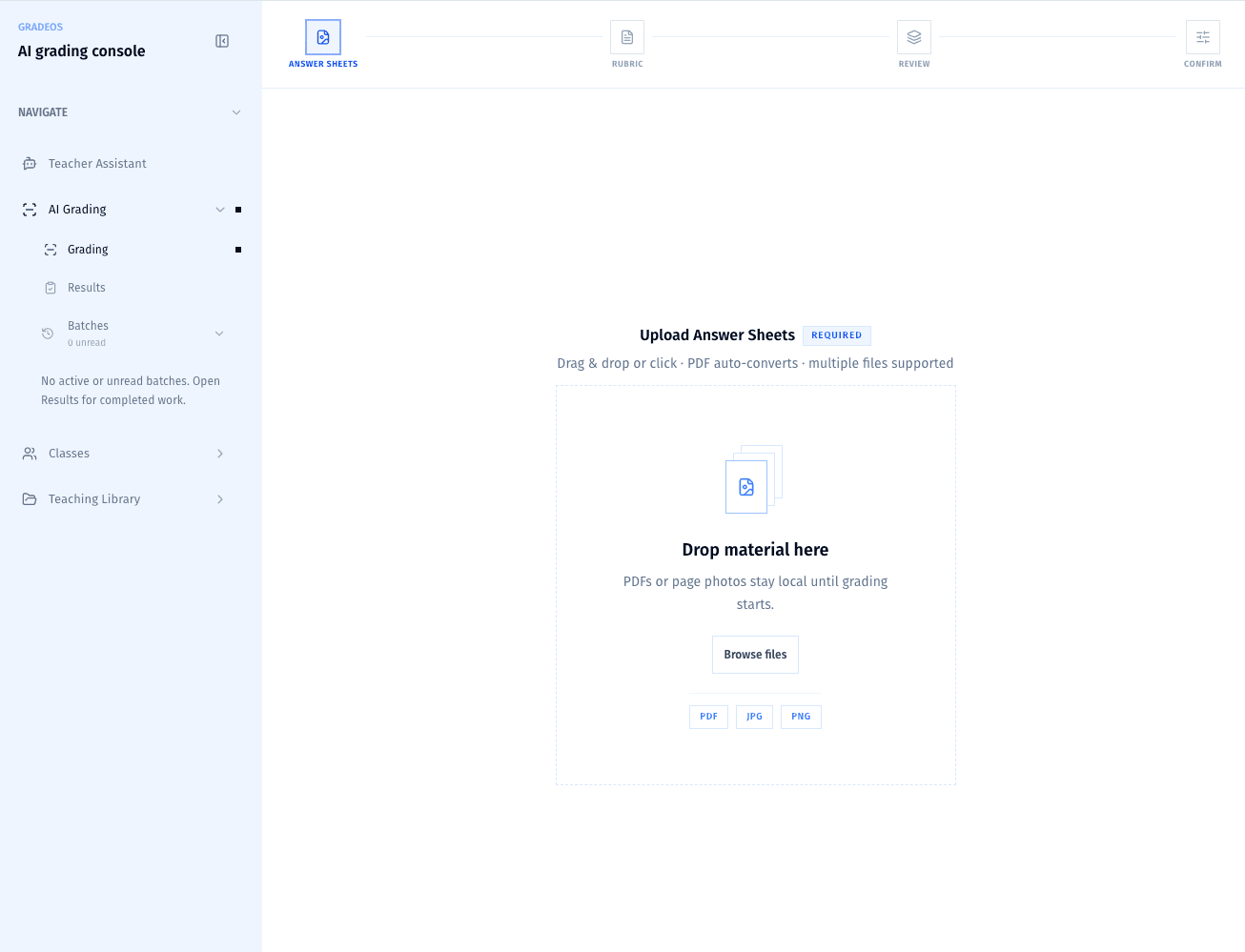
01 · Intake
Bring every answer sheet into one batch
Upload PDFs or page photos once. GradeOS keeps the original material visible while it prepares the run.
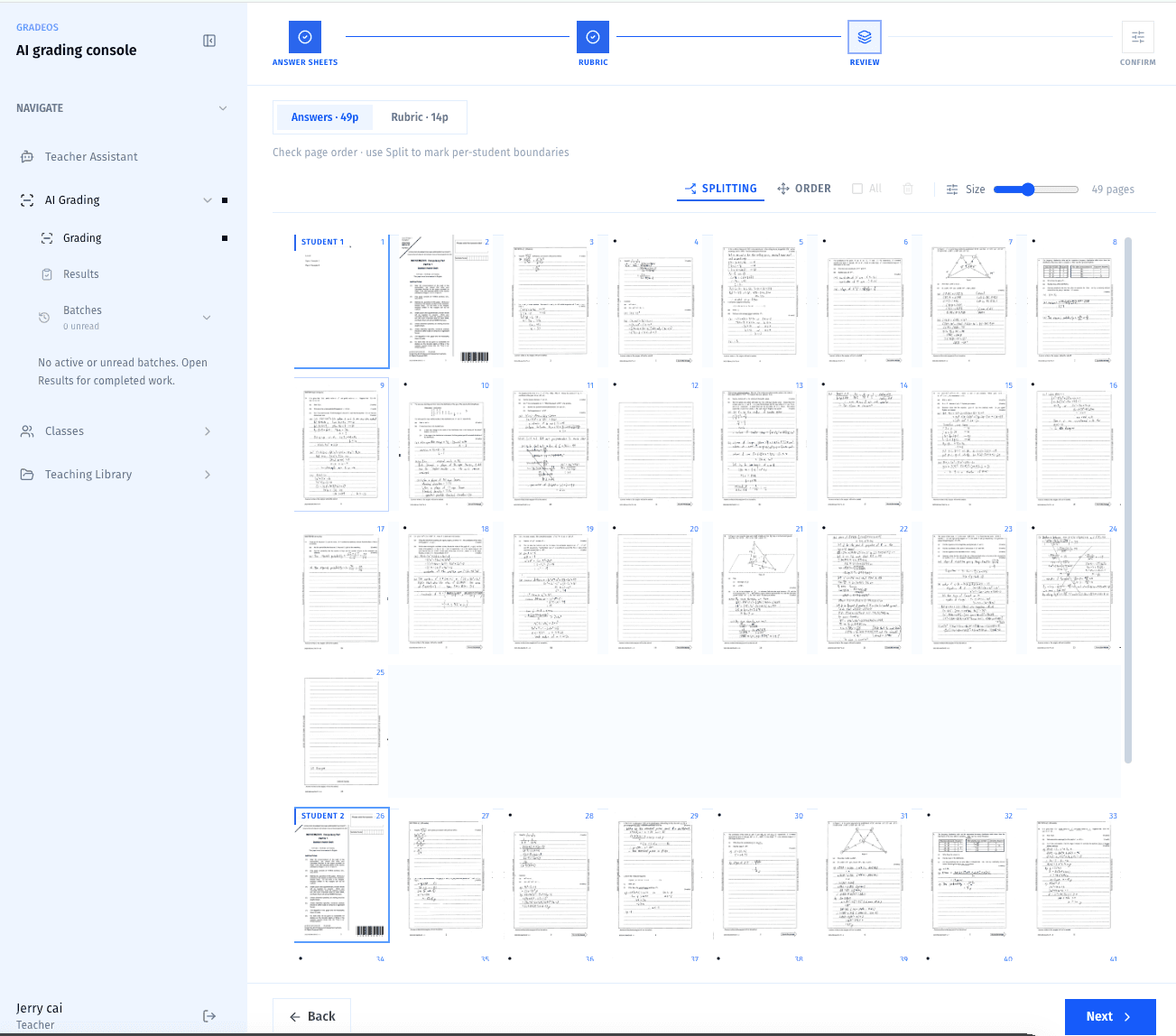
02 · Organize
Split students and put every page in order
Review detected page groups, reorder sheets, and confirm student boundaries before any grading begins.
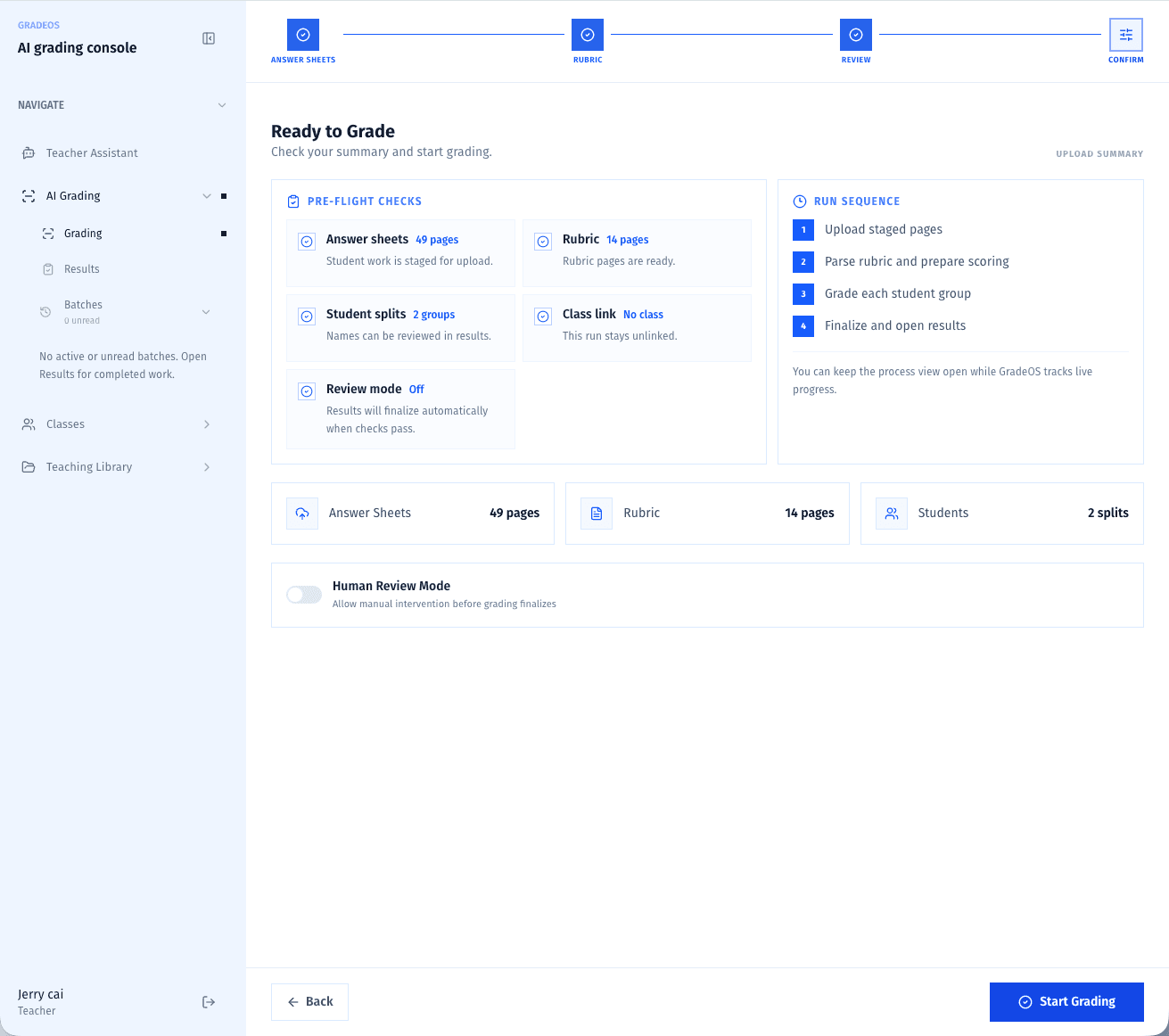
03 · Pre-flight
Check the run before the workers start
Answer sheets, rubric pages, student splits, class links, and review mode stay explicit before launch.
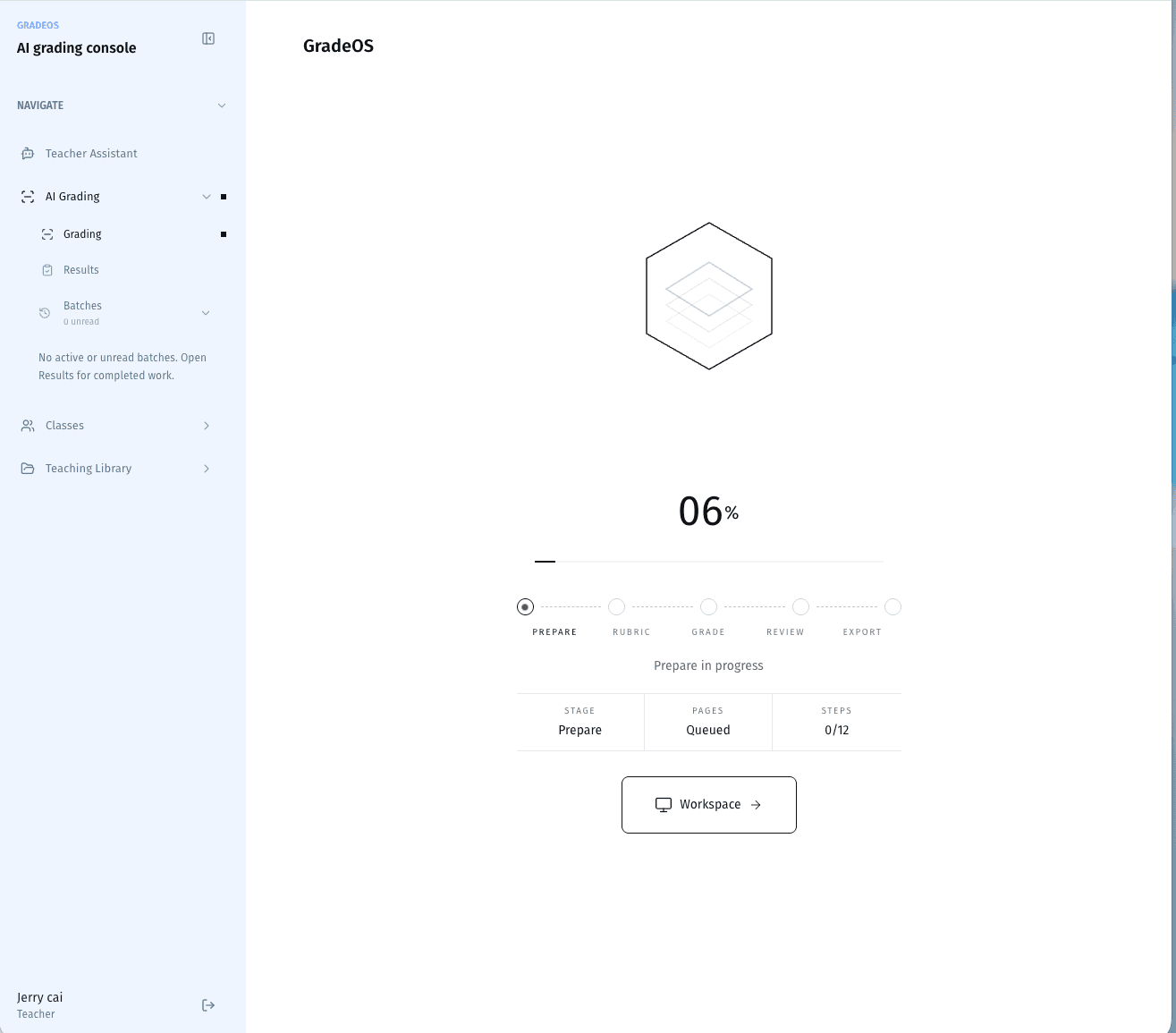
04 · Parallel grade
Move the batch through independent grading workers
Preparation, rubric parsing, scoring, review, and export advance as a visible run instead of a black box.
05 · Teacher review
Keep the answer, evidence, rubric, and score together
Teachers review the highest-impact decisions with the original response and evidence-linked criteria side by side.
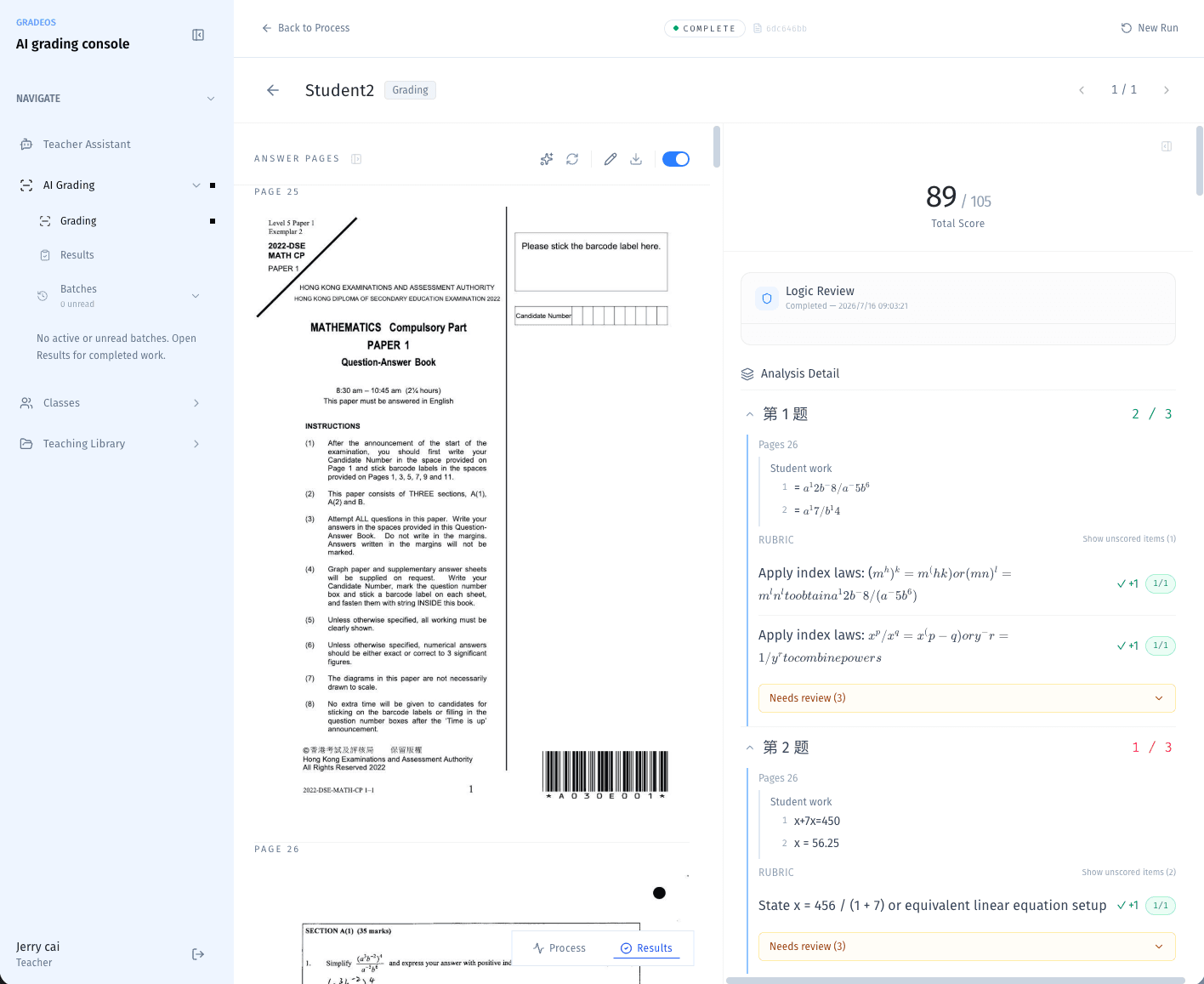
06 · Class signals
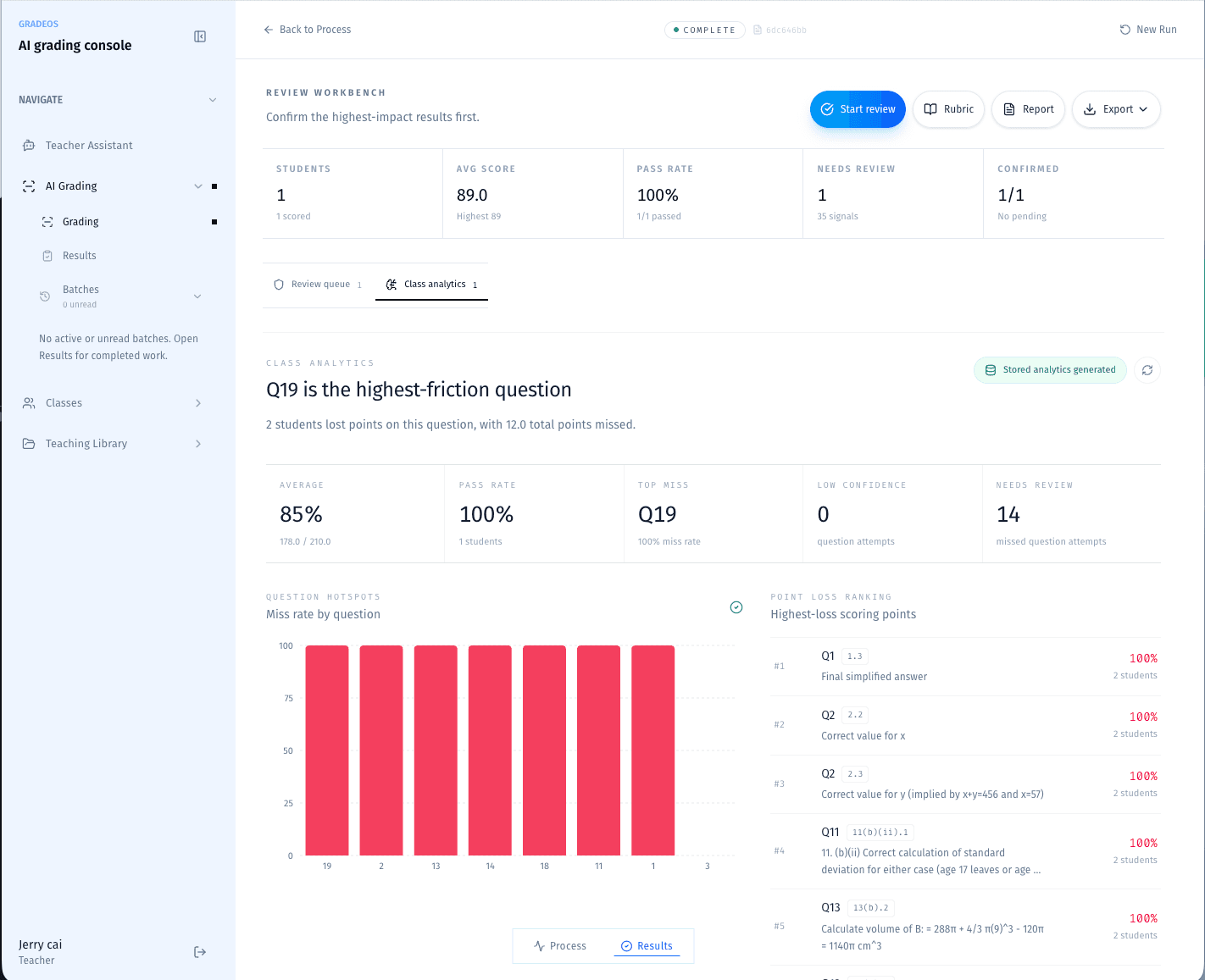
Turn the completed batch into a teaching plan
Question friction, point loss, confidence, and review queues become clear at class level after confirmation.
A faster grading run is only useful when every result can still be explained.